SMS Consent & Opt-In
Learn how ScallyWagers uses SMS to keep you informed about your poker events.
How SMS Notifications Work
ScallyWagers sends SMS text messages to keep players informed about poker events in their groups. These are transactional notifications — not marketing messages. SMS is used for RSVP requests, event reminders, tournament results, and group updates. All SMS notifications are opt-in, per-group, and can be disabled at any time.
Opting In
To receive SMS notifications from ScallyWagers, follow these steps:
- Create an account at scallywagers.com.
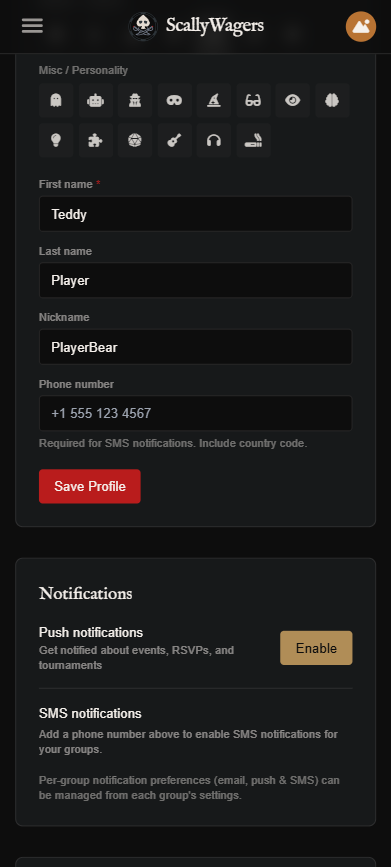
- Add your mobile phone number in your Profile settings.
- Join a poker group (via invite link from your host).
- Open notification preferences from the group dashboard by tapping the bell icon.
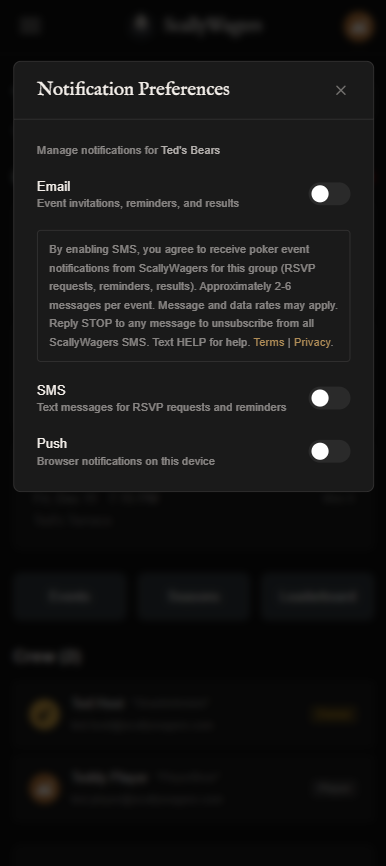
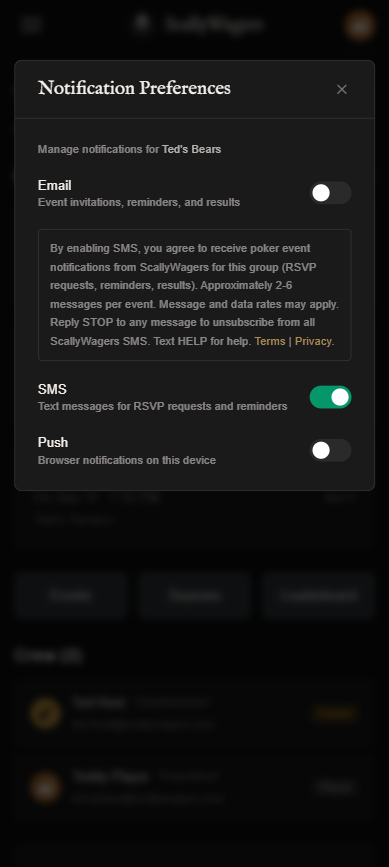
- Enable the SMS toggle. The following consent language is displayed above the toggle before you opt in:
SMS off
SMS on
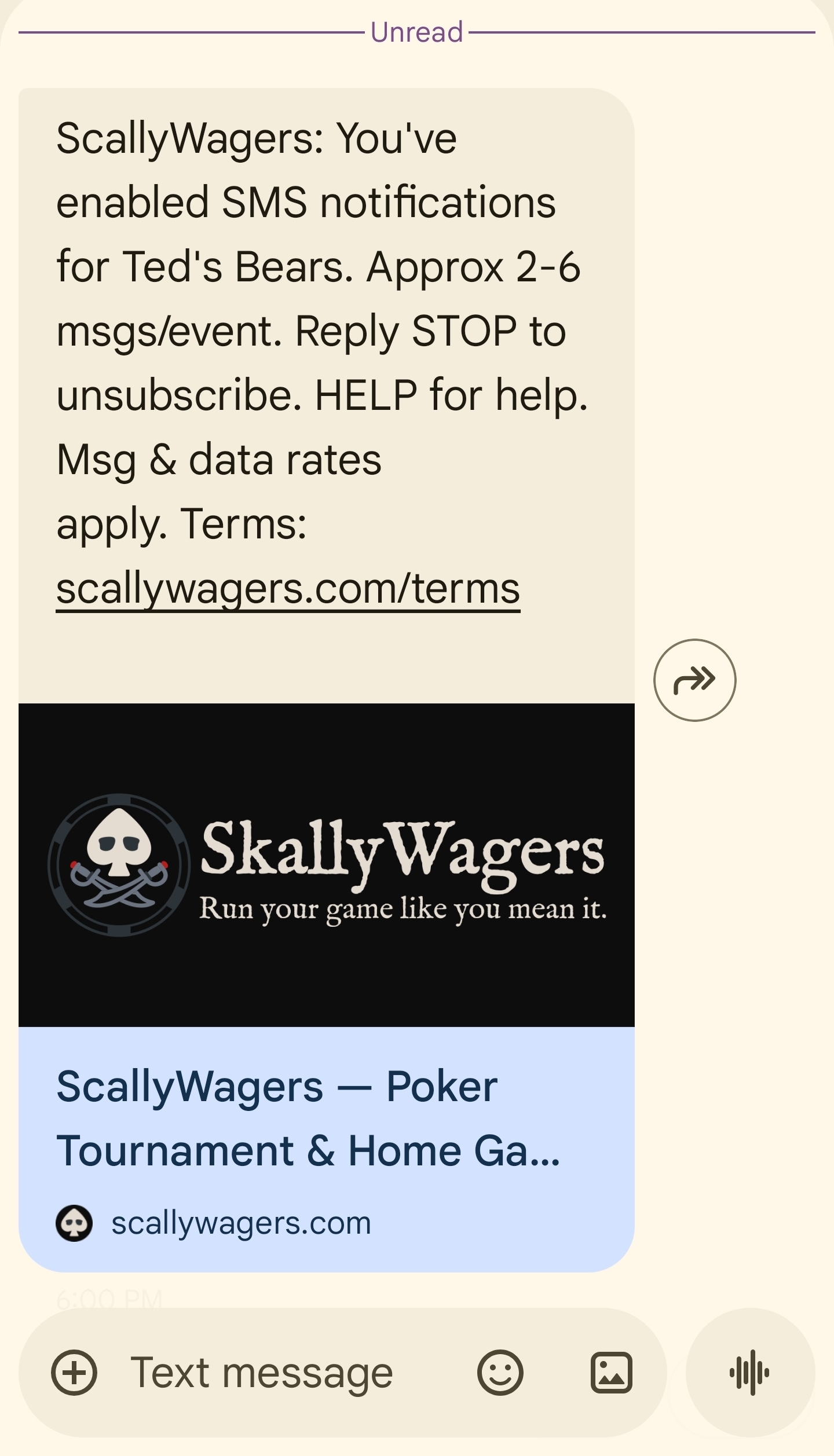
Once you enable the SMS toggle, an opt-in confirmation SMS is sent to your phone immediately to verify delivery.
Message Frequency
You will receive approximately 2-6 messages per event. These include:
- RSVP requests when a new event is scheduled
- Reminders as the event approaches
- Tournament results and updates
- Waitlist and roster changes
Message frequency depends on how many events your group runs and your notification preferences.
Opting Out
You can stop receiving SMS notifications at any time using any of these methods:
- Reply STOP to any ScallyWagers SMS message.
- Disable the SMS toggle in your group notification preferences (bell icon on the group dashboard).
- Text STOP to +1 251-727-6537.
After opting out via STOP, you will receive a single confirmation message and no further SMS from ScallyWagers.
Re-subscribing After STOP
If you previously sent STOP and want to receive SMS again, follow both steps:
- Text START to +1 251-727-6537 to unblock delivery at the carrier level.
- Re-enable the SMS toggle in your group notification preferences within ScallyWagers.
Help
For help with SMS notifications:
- Text HELP to +1 251-727-6537
- Visit our contact page
Cost
ScallyWagers does not charge for SMS messages. However, standard message and data rates from your mobile carrier may apply. Contact your carrier for details about your messaging plan.
Last updated: March 2026